Entradas digitales - Hardware
Nota
This section covers digital input hardware. For a software guide to digital inputs, see Entradas digitales - Software.
A digital signal is a signal that can be in one of several discrete states. In the vast majority of cases, the signal is the voltage in a wire, and there are only two states for a digital signal - high, or low (also denoted 1 and 0, or true and false, respectively).
Los puertos de entrada y salida digitales integrados de roboRIO (o puertos «DIO») funcionan en 5V, por lo que «alto» corresponde a una señal de 5V y «bajo» a una señal de 0V [1] _ [2] _.
Conexión a los puertos DIO de roboRIO
Nota
Los puertos DIO adicionales están disponibles a través del puerto de expansión «MXP». Para usarlos, se necesita una placa de conexión de algún tipo que se conecte al MXP.
Advertencia
Consulte siempre las especificaciones técnicas del sensor que está utilizando antes de cablear el sensor, para asegurarse de que se está conectando el cable correcto a cada pin. Si no lo hace, puede dañar el dispositivo.
Advertencia
¡Nunca conecte directamente el pin de alimentación al pin de tierra en cualquier puerto del roboRIO! Esto activará funciones de protección en roboRIO y puede resultar en un comportamiento inesperado.
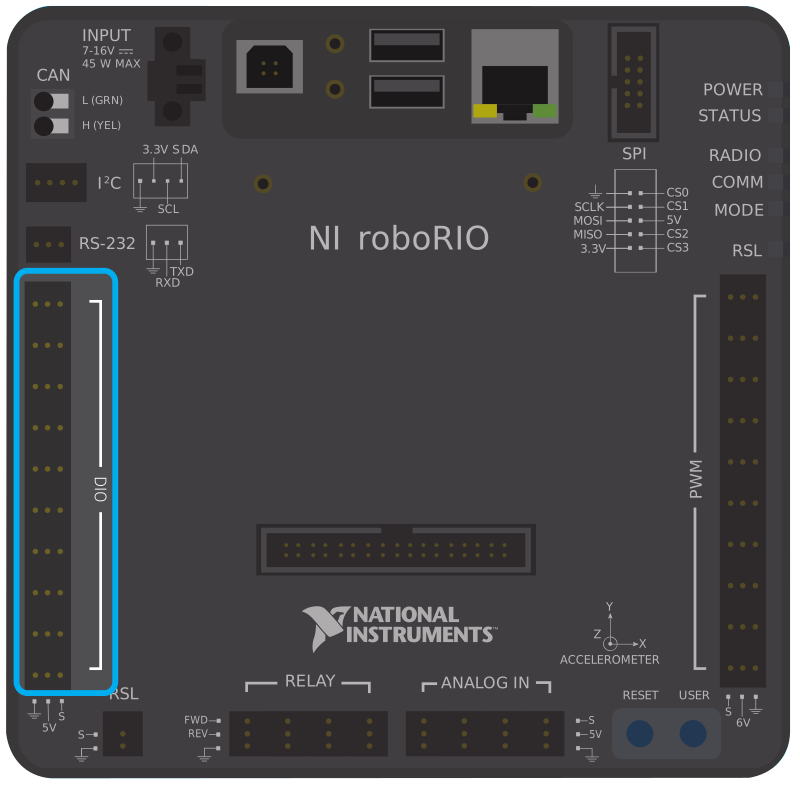
El roboRIO tiene 10 puertos DIO integrados (numerados del 0-9), como se ve en la imagen de arriba.Cada puerto tiene tres pines - señal («S»), potencia («V») y tierra (»|tierra|»). Los pines de «poder» y «tierra» se utilizan para alimentar los sensores periféricos que se conectan a los puertos DIO - hay una diferencia de potencia constante de 5 V entre los pines de «poder» y «tierra» [3] _ - el pin de «poder» corresponde al estado «alto» (5 V) y el de «tierra» a «bajo» (0 V ). El pin de señal es el pin en el que se mide realmente la señal (o, cuando se usa como salida, el pin que envía la señal).
All DIO ports have built-in «pull-up» resistors between the power pins and the signal pins - these ensure that when the signal pin is «floating» (i.e. is not connected to any circuit), they consistently remain in a «high» state.
Conexión de un conmutador simple a un puerto DIO
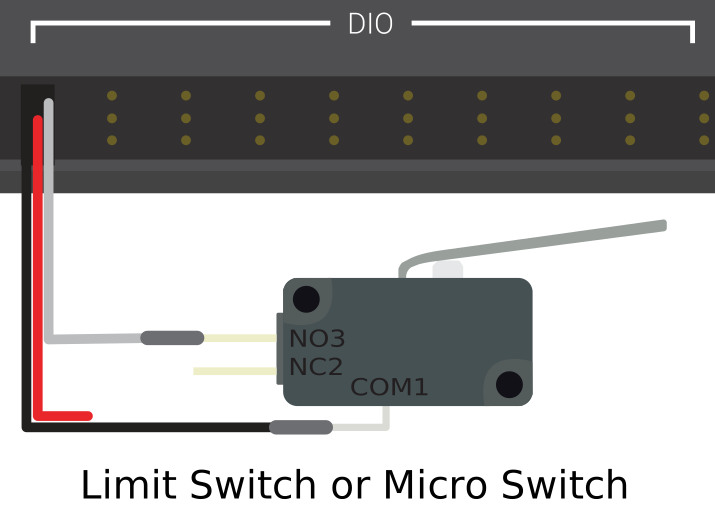
El dispositivo más simple que se puede conectar a un puerto DIO es un conmutador (como un limit switch). Cuando un interruptor está conectado correctamente a un puerto DIO, el puerto leerá «alto» cuando el circuito está abierto y «bajo» cuando el circuito está cerrado.
Un simple interruptor no necesita poder y, por lo tanto, solo tiene dos cables. Los interruptores deben cablearse entre la señal y los pines de tierra del puerto DIO. Cuando el circuito del interruptor está abierto, el pin de señal flotará y la resistencia pull-up se asegurará de que se lea «alto». Cuando el circuito del interruptor está cerrado, se conectará directamente al riel de tierra y, por lo tanto, leerá «bajo».
Conectando un sensor energizado a un puerto DIO
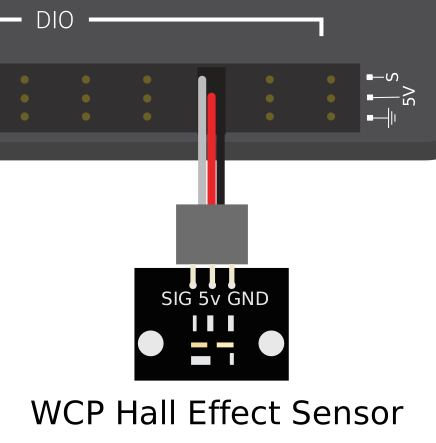
Muchos sensores digitales (como la mayoría de los interruptores de proximidad sin contacto) requieren energía para funcionar. Un sensor energizado generalmente tendrá tres cables - señal, poder y tierra. Estos deben estar conectados a los pines correspondientes del puerto DIO.
Conexión de un sensor que utiliza varios puertos DIO
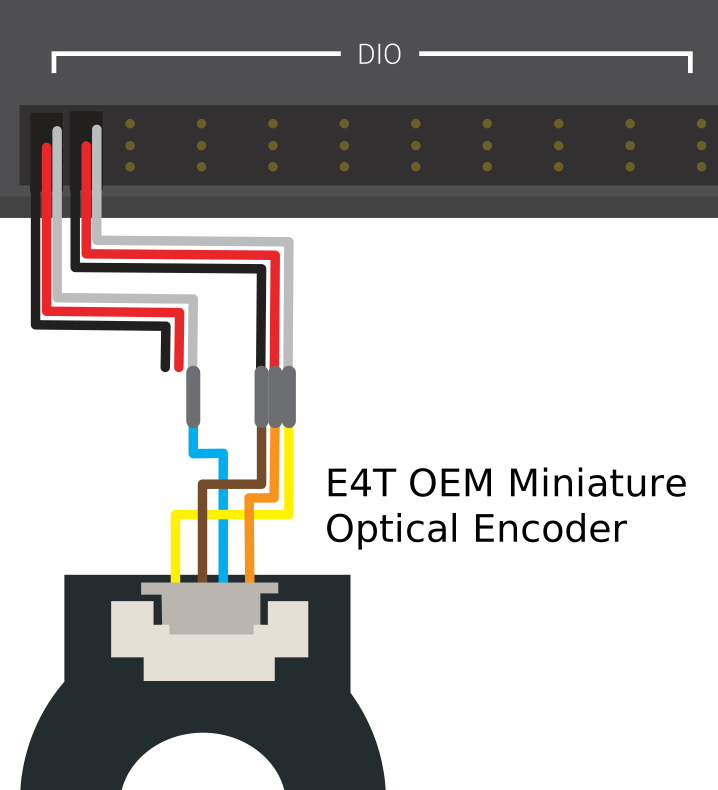
Algunos sensores ( así como quadrature encoders) es posible que deba conectarse a varios puertos DIO para funcionar. En general, estos sensores solo requerirán un solo poder y un solo pin de tierra - solo se necesitará el pin de señal de los puerto(s) adicionales.