ロボットの先取りトラブルシューティング
注釈
FIRSTロボット競技会では、ロボットがフィールドを走り回る際に大きなストレスがかかります...フィールドで跳ね回ったロボットが壊れないように、接続をしっかりと行い、部品をボルトでしっかりと固定し、すべてを取り付けることが重要です!
Check Battery Connections
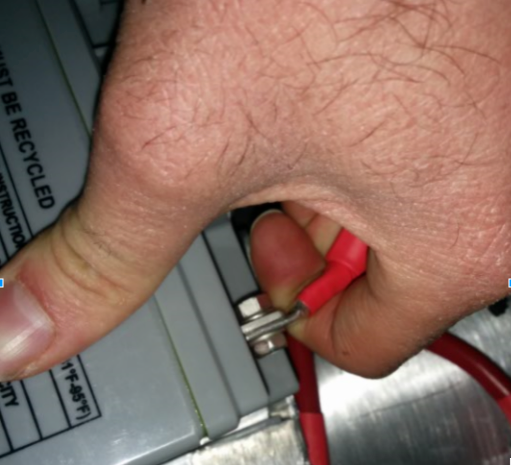
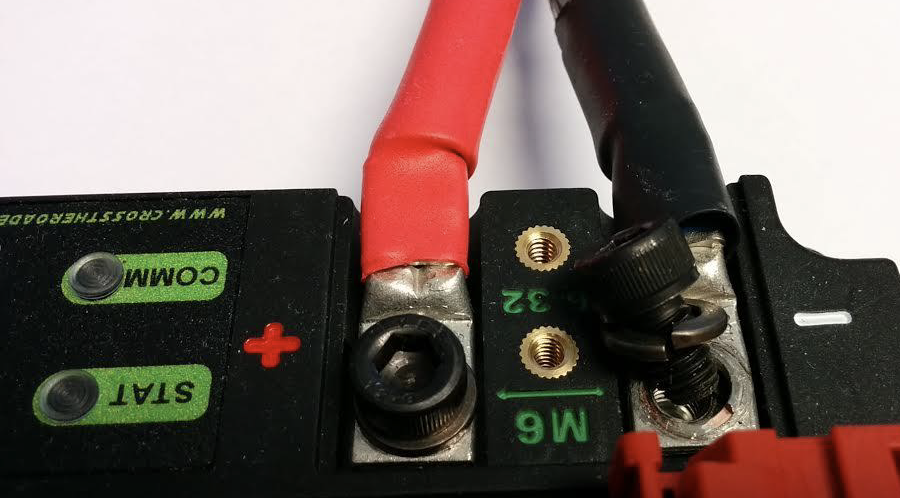
The tape that should be covering the battery connection in these examples has been removed to illustrate what is going on. On your robots, the connections should be covered.
バッテリーハーネスコネクターを曲げてみてください。ネジが緩んだり、圧着が完全に閉じていないために緩んでいることがよくあります。 しかし、電気テープで接続が硬くなり、硬いと感じるようになることが多いので、本当に悪いものだけを見分けることができます。電圧計やバッテリービークを使用すると、このような場合に役立ちます。
Apply considerable force onto the battery cable at 90 degrees to try to move the direction of the cable leaving the battery, if successful the connection was not tight enough to begin with and it should be redone. This article has more detailed battery information.
Securing the Battery to the Robot
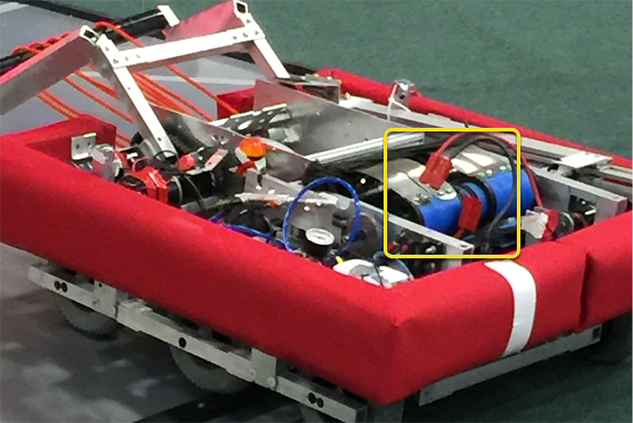
In almost every event we see at least one robot where a not properly secured battery connector (the large Anderson) comes apart and disconnects power from the robot. This has happened in championship matches on the Einstein and everywhere else. Its an easy to ensure that this doesn't happen to you by securing the two connectors by wrapping a tie wrap around the connection. 10 or 12 tie wraps for the peace of mind during an event is not a high price to pay to guarantee that you will not have the problem of this robot from an actual event after a bumpy ride over a defense. Also, secure your battery to the chassis with hook and loop tape or another method, especially in games with rough defense, obstacles, or climbing.
Securing the Battery Connector & Main Power Leads
A loose robot-side battery connector (the large Anderson SB) can allow the main power leads to be tugged when the battery is replaced. If the main power leads are loose, that "tug" can get all the way back to the crimp lugs attached to the 120 Amp Circuit Breaker or Power Distribution Panel (PDP), bend the lug, and over time cause the lug end to break from fatigue. Putting a couple tie wraps attaching the main power leads to the chassis and bolting down the robot-side battery connector can prevent this, as well as make it easier to connect the battery.
Main Breaker (120 Amp Circuit Breaker)
注釈
Ensure nuts are tightened firmly and the breaker is attached to a rigid element.
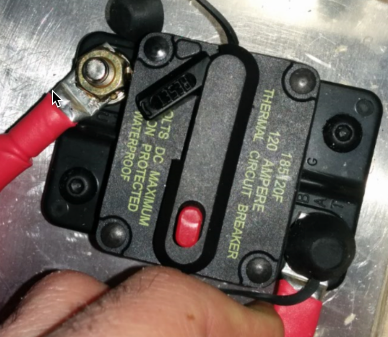
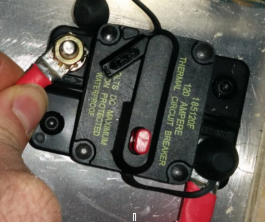
Apply a strong twisting force to try to rotate the crimped lug. If the lug rotates then the nut is not tight enough. After tightening the nut, retest by once again trying to rotate the lug.
The original nut has a star locking feature, which can wear out over time: these may require checking every few matches, especially if your robot-side battery connector is not attached to the chassis.
The nut is normally a relatively uncommon 1/4-28 thread: ensure this is correct if the nut is replaced.
Because the metal stud is just molded into the case, every once in awhile you may break off the stud. Don't stress, just replace the assembly.
When subjected to multiple competition seasons, the Main Breaker is susceptible to fatigue damage from vibration and use, and can start opening under impact. Each time the thermal fuse function is triggered, it can become progressively easier to trip. Many veteran teams start each season with a fresh main breaker, and carry spares.
Power Distribution Panel (PDP)
Make sure that split washers were placed under the PDP screws, but it is not easy to visually confirm, and sometimes you can’t. You can check by removing the case. Also if you squeeze the red and black wires together, sometimes you can catch the really lose connections.
Tug Testing
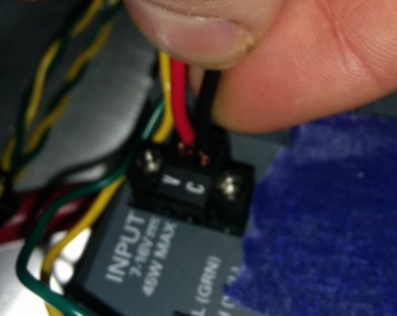
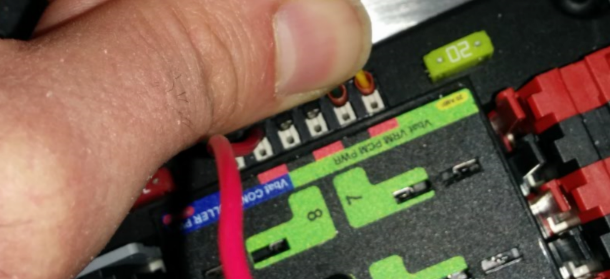
電源、コンプレッサー出力、roboRIO電源コネクタ、無線電源のWeidmullerコンタクトは、図のように接続部を引っ張って確認することが重要です。 どの接続部も引き抜かれないことを確認してください。
ワイドミュラー接続が互いに近接し、ワイヤリードの長さが長すぎる場合、ショート(短絡)の可能性があるか、またはショートの恐れがあるかどうかを確認する(余分な長さのワイヤを剥いたもの)。
また、スペードコネクタも圧着不良で故障することがありますので、そのような場合はタグテストを行ってください。
Blade Fuses
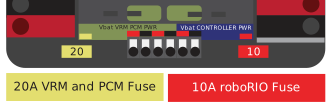
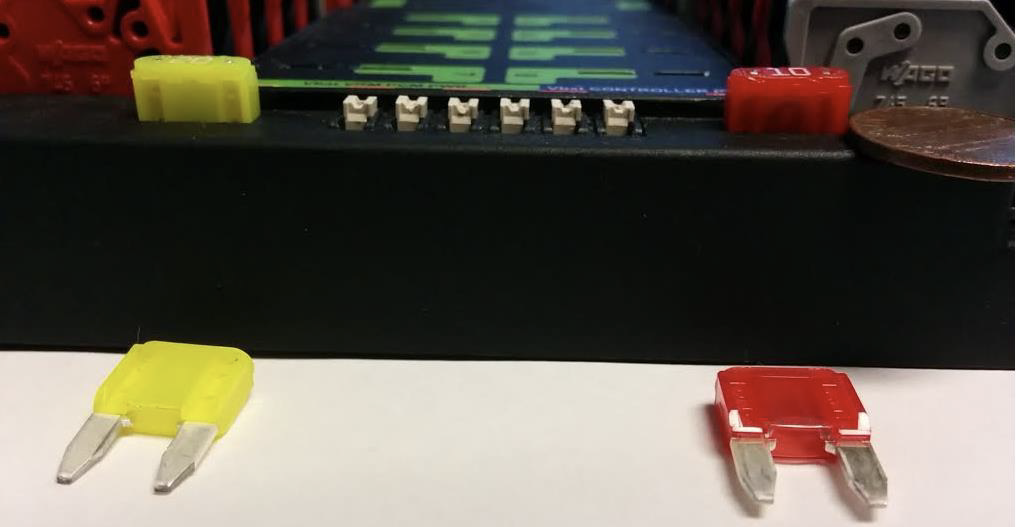
Be sure to place the 20A fuse (yellow) on the left and the 10A fuse (red) on the right.
警告
Take care to ensure fuses are fully seated into the fuse holders. The fuses should descend at least as far as the figure below (different brand fuses have different lead lengths). It should be nearly impossible to remove the fuse with bare hands (without the use of pliers). If this is not properly done, the robot/radio may exhibit intermittent connectivity issues.
ブレードヒューズを手で取り外すことができる場合は、ヒューズが完全に挿入されていません。ロボット操作中に飛び出さないように、PDPに完全に収まっていることを確認してください。
roboRIO swarf
Swarf is fine chips or filings of stone, metal, or other material produced by a machining operation. Often modifications must be made to a robot while the control system parts are in place. The circuit board for the roboRIO is conformally coated, but that doesn't absolutely guarantee that metal chips won't short out traces or components inside the case. In this case, you must exercise care in making sure that none of the chips end up in the roboRIO or any of the other components. In particular, the exposed 3 pin headers are a place where chips can enter the case. A quick sweep through each of the four sides with a flashlight is usually sufficient to find the really bad areas of infiltration.
Ethernet Cable
RIO-無線イーサネットケーブルのコネクタをロックするクリップが欠けている場合は、別のケーブルを入手してください。 これは、どの大会でも何度か起こる問題です。ケーブルがしっかり固定されていることを確認してください。クリップは、特に狭い経路を引っ張るときに、何かに引っかかって壊れることがよくあります。
Loose Cables
Cables must be tightened down, particularly the radio power and ethernet cable.
また、イーサネットケーブルはかなり重いので、自由に振れるようにしておくと、プラスチッククリップだけではイーサネットピンコネクタを回路に固定できない場合があります。
Reproducing Problems in the Pit
Beyond the normal shaking of cables whilst the robot is powered and tethered, it is suggested that one side of the robot be picked up and dropped. Driving on the field, especially against defenders, will often be very violent, and this helps makes sure nothing falls out. It is better for the robot to fail in the pits rather than in the middle of a match.
When doing this test it’s important to be ethernet tethered and not USB tethered, otherwise you are not testing all of the critical paths.
Check Firmware and Versions
ロボット検査官はこのようにしていますが、あなたもそうしてください。 また、最新のバグフィックスされたコードで動作していることが保証されます。ロボットの制御システムソフトウェアが古かったために試合に負けるなんてことはないでしょう。
Driver Station Checks
ドライバーステーション - Drivers.Station の不具合をよく見かけます... 確認してください:
「必ず」ノートパソコンの電源ケーブルをフィールドに持参すること、バッテリーがどんなに良くても、フィールドで充電することは許されています。
電源やスリープの設定を確認し、スリープやハイバネート、スクリーンセーバーなどをオフにする。
USBデバイスの電源管理をオフにする(デベロッパーマネージャー)
イーサネットポートのパワーマネージメントをオフにする(デベロッパーマネージャー)
windows defenderをオフにする
ファイアーウォール - forewallをオフにする
外出時はDS/Dashboard以外のアプリをすべて閉じる。
スタートメニューのアプリケーショントレイ(右下)に、不要なものが起動していないことを確認する。
Handy Tools
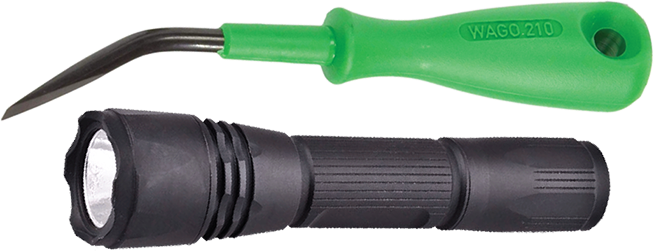
ロボットの内部には十分な明るさがなく、重要な接続箇所を点検するためには、携帯型のLED懐中電灯を使用してください。懐中電灯は、ホームセンターや自動車用品店で購入できます。
WAGOツールは、撚り線によるワイドミュラー接続をやり直すのに便利なツールです。 一般には、チームに見せるために1つだけ行い、あとはWAGOツールでホワイトプランジャーを押しながら撚り線を挿入してもらうことがあります。 WAGOツールの角度は特に便利です。